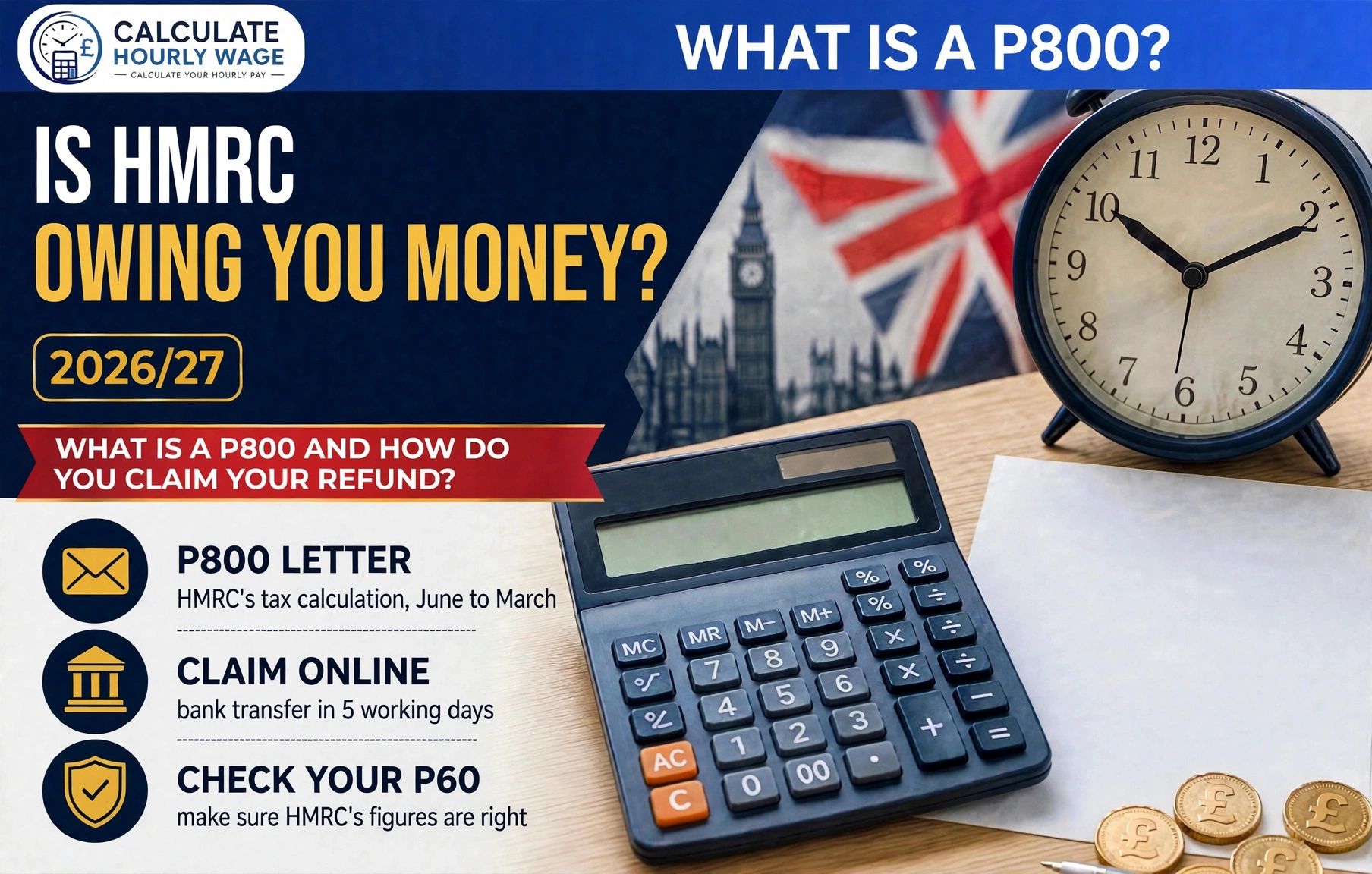
If you are wondering about a P800 tax refund how to claim it, here is the direct answer: a P800 is HMRC’s end-of-year tax calculation, sent to you after the tax year ends on 5 April. If it says you are due a refund, you claim it online — you need the reference number printed on the letter and your National Insurance number — and the money normally reaches your bank within 5 working days. Since May 2024, most refunds are no longer sent automatically, so if you do nothing, the money simply sits there until you claim it.
That last point catches millions of people out. Every year HMRC reviews around 45 million PAYE accounts after the tax year ends, and where the records show too much tax was paid, it posts a P800 letter, usually between June and November. The letter itself is not a bill, not a fine and not a scam — it is HMRC doing the maths and telling you the result. But the refund only moves when you ask for it.
The Short Answer: What a P800 Is and How to Claim It
A P800 is a tax calculation letter from HMRC. After the tax year ends on 5 April, HMRC compares the tax your employer or pension provider actually deducted through PAYE with the tax you should have paid on your total income. If the two do not match, you get a P800. It shows your total income for the year, your allowances, the tax due, the tax paid, and the difference — either a refund owed to you or an amount you owe HMRC. You only get a P800 if you are employed or you get a pension; if you file a Self Assessment tax return, you will not get one, because any overpayment or underpayment is dealt with through your return instead.
If your P800 says you are due a refund, the claim takes about five minutes:
- Have two things ready: the reference number printed on your P800 letter, and your National Insurance number.
- Go to GOV.UK and use the online claim service, or claim through your Personal Tax Account or the HMRC app if you have a UK bank account.
- Choose bank transfer, give your bank details, and HMRC sends the money within 5 working days. Ask for a cheque instead and it can take up to 6 weeks.
If your letter says HMRC will send you a cheque, you do not need to do anything — it should arrive within 14 days of the date on the letter. And if you are owed tax for more than one year, you will get a single cheque for the entire amount.
That is the P800 tax refund how to claim process in brief — the rest of this guide fills in the detail.

When Will Your P800 Arrive?
HMRC sends P800 letters between June and March of the following tax year. In practice, most arrive between June and November: for the 2025/26 tax year, which ended on 5 April 2026, letters are being sent from June through to November 2026, with overpayment letters prioritised and sent first. GOV.UK’s own claim tool says you should get your tax calculation letter by 30 November 2026 if HMRC works out you paid too much tax.
The letters go out in batches, so a colleague can get theirs weeks before you do. That is normal — it does not mean yours has been lost. But if November has passed and you believe you overpaid, do not just keep waiting: sign in to your Personal Tax Account on GOV.UK and check whether a refund is showing, or use GOV.UK’s “Check how to claim a tax refund” tool to find the right route.
Why You Might Get a P800
You get a P800 when something in your tax year did not line up neatly. GOV.UK lists the usual reasons:
- You were put on the wrong tax code — for example because HMRC had the wrong information about your income. This is the commonest cause, and it is why a wrong code can cost you hundreds of pounds before anyone notices.
- You finished one job, started a new one and were paid by both in the same month. Two employers paying you in the same month often means one of them used the wrong code, usually an emergency or BR code with no Personal Allowance.
- You started receiving a pension at work. A new pension is a new source of income, and if the tax code did not adjust for it, the wrong amount of tax was taken.
- You received Employment and Support Allowance or Jobseeker’s Allowance. These benefits are taxable, and if they were not factored into your code, your tax was under- or over-collected.
There are other triggers too: a pay rise that pushed you into a higher band mid-year, a bonus taxed at the wrong rate, or an employer payroll error. The pattern is always the same — tax was worked out month by month on incomplete information, and the P800 is the correction at the end of the year.
P800 Tax Refund: How to Claim It Online
Here is the full process for a P800 tax refund how to claim it online, exactly as GOV.UK sets it out. It takes about five minutes, and you do it yourself — there is no need to pay a tax refund company, which typically charges 25% to 40% of your refund for doing exactly this.
Step 1 — Read the letter carefully. Your P800 tells you which of two situations applies: either it says you can claim online, or it says HMRC will send you a cheque. If it says a cheque is coming, you do not need to contact HMRC at all — just wait for it.
Step 2 — Gather the two numbers you need. The reference number from your P800 letter (it is printed on the letter itself) and your National Insurance number. Without the reference number the online service cannot find your calculation, so keep the letter beside you.
Step 3 — Go to GOV.UK yourself. Type the address into your browser rather than tapping a link in a text or email. Use the online claim service linked from GOV.UK’s “Tax overpayments and underpayments” page, or sign in to your Personal Tax Account or the HMRC app. HMRC will never text, email or WhatsApp you a link to claim a refund — any message that does is a scam, however official it looks.
Step 4 — Choose how you want to be paid. Bank transfer is the fastest option: give your sort code and account number and HMRC pays the refund within 5 working days. You can also request a cheque online, but that takes up to 6 weeks, and the cheque is only valid for 6 months from the date printed on it, so bank transfer is the better choice for almost everyone.
Step 5 — Check the confirmation. Once the claim is submitted, the money should be in your account within 5 working days for a bank transfer. If it has not arrived after that, contact HMRC with your reference number ready.
How Long Does a P800 Refund Take?
The timing depends entirely on how you claim, and the difference between the fastest and slowest routes is several weeks:
| How you claim | When the refund arrives |
|---|---|
| Online, paid by bank transfer | Within 5 working days |
| Online, but you ask for a cheque | Up to 6 weeks |
| Letter says HMRC will send a cheque | Within 14 days of the date on the letter |
A cheque requested online can take up to 6 weeks to arrive, and then you still have to pay it in — and HMRC cheques are only valid for 6 months from the date printed on them, so do not leave one in a drawer.
If you are owed tax for more than one year, you will get a single cheque for the entire amount rather than one per year. And if your refund is large — generally over £3,000 — HMRC may take longer while it checks the figures.
One timing point people miss: the 5 working days is counted from when you claim, not from when the P800 was issued. A letter that arrived in July and is claimed in October is still paid within 5 working days of the October claim.
Worked Example 1: The Emergency Tax Code Refund
Take Sarah. She started a new job in October 2025 on £2,400 a month. Her P45 had not arrived from her old employer, so her new employer put her on an emergency tax code — 1257L on a week 1 / month 1 (non-cumulative) basis, which taxes each month on its own with only one month’s slice of her Personal Allowance.
Each month, her taxable pay was £2,400 minus one twelfth of the £12,570 Personal Allowance (£1,047.50), which is £1,352.50. At the 20% basic rate, she paid £270.50 of tax every month — £1,623 over the six months from October to March.
But her real position for the year was very different. Her total pay for 2025/26 was 6 × £2,400 = £14,400. Take off her full £12,570 Personal Allowance and her taxable income was only £1,830. At 20%, the correct tax was £366.
Sarah had overpaid by £1,623 − £366 = £1,257. Her P800 showed exactly that figure, and after claiming online with her reference number and National Insurance number, the £1,257 was in her account within 5 working days.
The lesson is in the code: a non-cumulative emergency code taxes every month as if it were the first month of the year, so anyone who starts a job part-way through the tax year is likely to overpay. If your first payslip shows a W1 or M1 code, check it — our guide on how to read your payslip shows exactly where the code sits.
Worked Example 2: Two Jobs in the Same Month
Take Tom. He left Job A on 15 May 2026 and started Job B on 20 May, earning £2,100 a month in the new role. His P45 did not reach Job B’s payroll in time, so for May and June they put him on a BR code — 20% tax on every pound, with no Personal Allowance at all.
On BR, Tom paid 20% × £2,100 = £420 of tax in each of those two months. If he had been on his normal 1257L code, his tax would have been 20% × (£2,100 − £1,047.50) = £210.50 a month. He overpaid by £209.50 a month, or £419 across the two months. His P45 arrived in July and his code was fixed from then on, but the £419 already overpaid did not come back through his payslip — it waited for the end-of-year reconciliation, and his P800 showed a £419 refund, which he claimed online and received within 5 working days.
This is the exact situation GOV.UK describes — “finished one job, started a new one and were paid by both in the same month” — and it is also the most common way a second job causes an overpayment. Our guide on second job tax in the uk explains how the BR code works and when it is right.
Worked Example 3: When the P800 Says You Owe Tax
Not every P800 brings good news. Take Priya. Her P800 showed she had underpaid by £240 in 2025/26 — her employer had used a tax code that gave her too much Personal Allowance after she started a small workplace pension.
HMRC did not ask her to pay the £240 in one go. Because she pays Income Tax through her employer, earns enough over her Personal Allowance to cover the underpayment, and owes less than £3,000, HMRC collected it by changing her tax code. Her code dropped from 1257L to 1057L — £1,200 less Personal Allowance, and 20% of £1,200 is exactly the £240 she owed. The extra tax came out in equal instalments of £20 a month over 12 months, starting the following tax year.
That is the standard route for underpayments under £3,000: no bill, no lump sum, just a smaller allowance for a year. If you owe more than £3,000, or HMRC cannot collect the money through your tax code, you will get a Simple Assessment letter instead, and you will need to pay what you owe by the deadline on that letter.
What If Your P800 Is Wrong?
Before you accept a P800 — refund or underpayment — check it. HMRC works from the information employers and pension providers send in, and that information can be wrong. The check takes two minutes:
- Find your P60. Your employer must give you a P60 after the tax year ends. It shows your total pay for the year and the total tax deducted.
- Compare the two totals. The “total income” and “tax paid” figures on your P800 should match your P60. If your P60 says you paid £3,200 of tax but your P800 says you paid £2,900, HMRC is working from wrong figures.
- Check for missing income. If you had two jobs, a pension, or taxable benefits, make sure every source appears on the P800. A missing job usually means missing tax.
If anything does not match, contact HMRC before you claim or pay. GOV.UK says you will need to tell HMRC which amounts you think are incorrect and what they should be — so have your P60 and your payslips ready. If HMRC agrees the calculation was wrong, you will be sent a new P800; if it disagrees, it will contact you to explain why. Do not ignore a P800 you think is wrong: claiming a refund based on wrong figures, or paying an underpayment that is not really due, is much harder to undo afterwards than it is to query the letter first.
No P800 but You Think You Overpaid?
Not everyone who overpays gets a P800. HMRC only sends one if its own records show a mismatch — if your employer reported the wrong figures, or the overpayment is on income outside the PAYE system, there may be no letter at all.
If you think you have paid too much tax and no P800 has arrived, GOV.UK’s “Check how to claim a tax refund” tool tells you what to do next, based on what you overpaid on — pay from a job, job expenses, a Self Assessment return, a redundancy payment, savings interest, and more. The route depends on the income type: for pay from a job, you can claim through your Personal Tax Account; for savings interest, the route is usually form R40.
There is also a time limit. You can usually claim overpaid Income Tax going back up to four tax years — so in 2026/27, you can still claim for 2022/23, but the window for that year closes on 5 April 2027. After that, the money is gone for good. If you left a job mid-year and never started another one, the route is different again: you claim in-year with a P50 rather than waiting for a P800.
The practical point is simple: if you suspect you overpaid, check. Sign in to your Personal Tax Account and look at the tax estimate for each year — it shows the income HMRC has on record and the tax it thinks you paid. If the figures look wrong, or a refund is showing, claim it.
P800 Scams: How to Spot a Fake
Because a P800 means money is coming back to you, it is a favourite target for scammers. The rules are simple:
- HMRC will never text, email or WhatsApp you a link to claim a refund. A real P800 arrives by post, and it also appears in your Personal Tax Account. Any message with a link asking you to claim is fake.
- HMRC will never ask for your card details, bank login or passwords. The genuine online claim asks only for your P800 reference number, your National Insurance number and your bank sort code and account number — never a card number or a login.
- Always type the address yourself. Go to GOV.UK directly and search for the P800 or refund pages, rather than tapping any link you were sent.
If you receive a message you are unsure about, do not tap anything: sign in to your Personal Tax Account and check whether a refund is actually showing. If there is no refund there, there is no refund — whatever the message said.
The Bottom Line on P800 Tax Refunds
A P800 is HMRC’s way of telling you the year’s tax maths did not add up — and in most cases, the maths is in your favour. The letter arrives between June and March after the tax year ends, it shows exactly how much you overpaid or underpaid, and if it is a refund, the claim takes five minutes online with your P800 reference number and National Insurance number, with the money in your bank within 5 working days.
Three things are worth remembering. First, since May 2024 most refunds are no longer sent automatically — if you do not claim, the money waits, so claim it. Second, check the figures against your P60 before you accept them, because HMRC’s numbers are only as good as the information it was given. And third, never pay anyone to claim for you: the online claim is free, it takes five minutes, and refund companies take a quarter or more of your money for doing exactly the same thing.
If you are still waiting for a P800 and you think you overpaid, estimate the figure with our income tax refund calculator, then check your Personal Tax Account. Add up your own taxable income with our taxable income calculator to see whether your code and your band were right in the first place.
What is a P800 tax refund how to claim it?
A P800 is HMRC’s end-of-year tax calculation letter, sent when you have paid too much or too little tax. If it says you are due a refund, claim it online with the reference number from the letter and your National Insurance number, through GOV.UK, your Personal Tax Account or the HMRC app. Choose bank transfer and the money normally arrives within 5 working days.
How long does a P800 refund take?
If you claim online and choose bank transfer, HMRC sends the money within 5 working days. If you ask for a cheque online, allow up to 6 weeks. If your letter says HMRC will send you a cheque automatically, it should arrive within 14 days of the date on the letter.
When will I get my P800?
HMRC sends P800 letters between June and March of the following tax year, with most arriving between June and November. For the 2025/26 tax year, letters are being sent from June to November 2026, and GOV.UK says you should have yours by 30 November 2026 if HMRC works out you paid too much tax.
What if my P800 says I owe tax?
If you owe less than £3,000 and you pay tax through an employer or pension provider, HMRC usually collects it by changing your tax code, taking the amount in equal instalments over 12 months from the following tax year. If you owe more than £3,000, or HMRC cannot collect it through your code, you will get a Simple Assessment letter and must pay by the deadline on it.
Do I have to claim my P800 refund, or is it automatic?
Since May 2024, most refunds are no longer sent automatically — you usually have to claim. If your P800 says you can claim online, the money waits until you do. The exception is if your letter says HMRC will send you a cheque: then you do not need to do anything, and it should arrive within 14 days of the letter date.
I think I overpaid but never got a P800 — what do I do?
Use GOV.UK’s “Check how to claim a tax refund” tool, or sign in to your Personal Tax Account and check the tax estimate for the year. You can usually claim overpaid tax going back up to four tax years, so in 2026/27 you can still claim for 2022/23 — but that window closes on 5 April 2027.
Sources
- GOV.UK — Tax overpayments and underpayments
- GOV.UK — Check how to claim a tax refund
- GOV.UK — Personal Tax Account
- GOV.UK — Understanding your tax code
- GOV.UK — Income Tax rates and Personal Allowances